
Handcrafted for iPhone

Turn renovation chaos into a calm home story.

Pick a room and see its entire journey. HomeLog connects loose progress photos, scanned receipts, and contractor decisions into an organized room-by-room timeline. Local-first, private, and crafted with Apple-native care.

No spam, no cloud telemetry. Invite sent directly from Apple TestFlight.

100% On-Device Zero third-party database servers
Room-First Ledger Expenses mapped to actual spaces
Apple Vision AI Intelligent photo burst clustering & OCR

See the transformation happen.

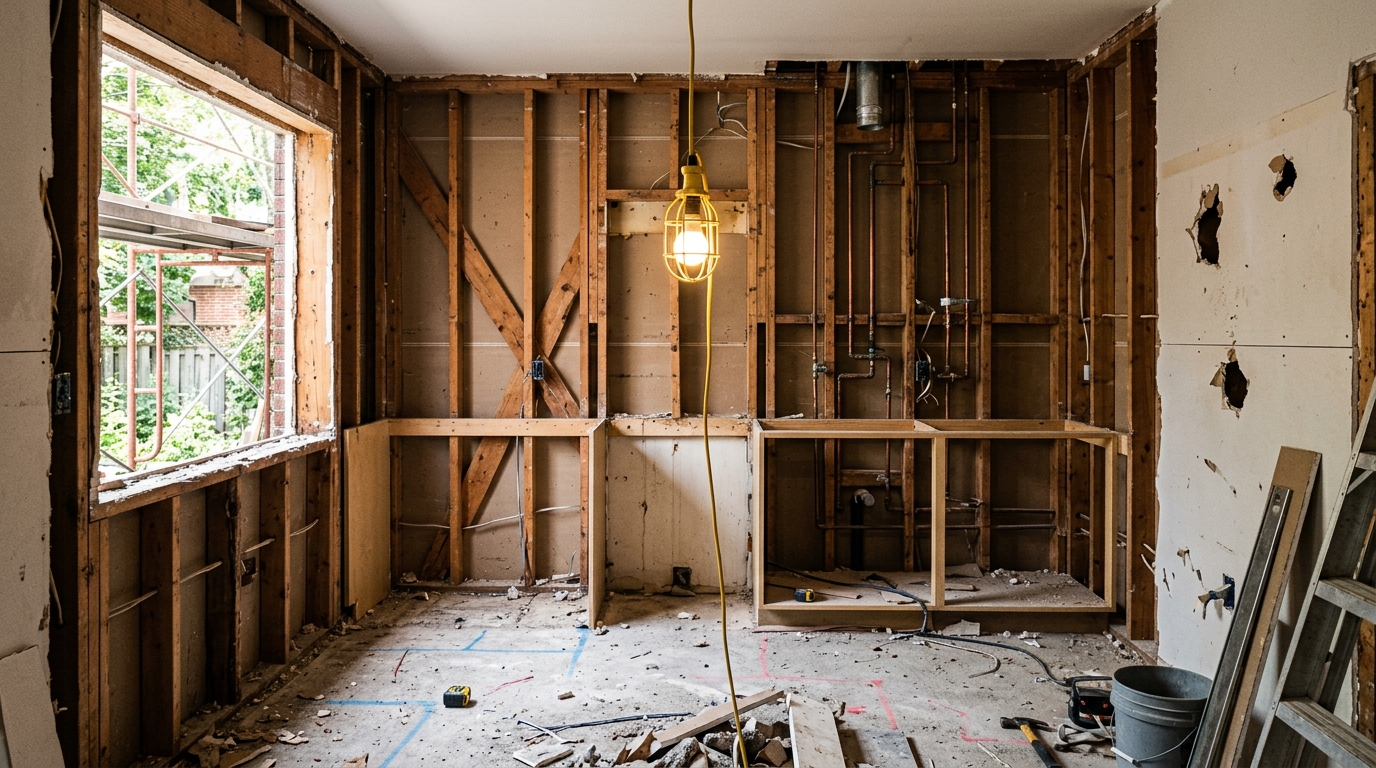
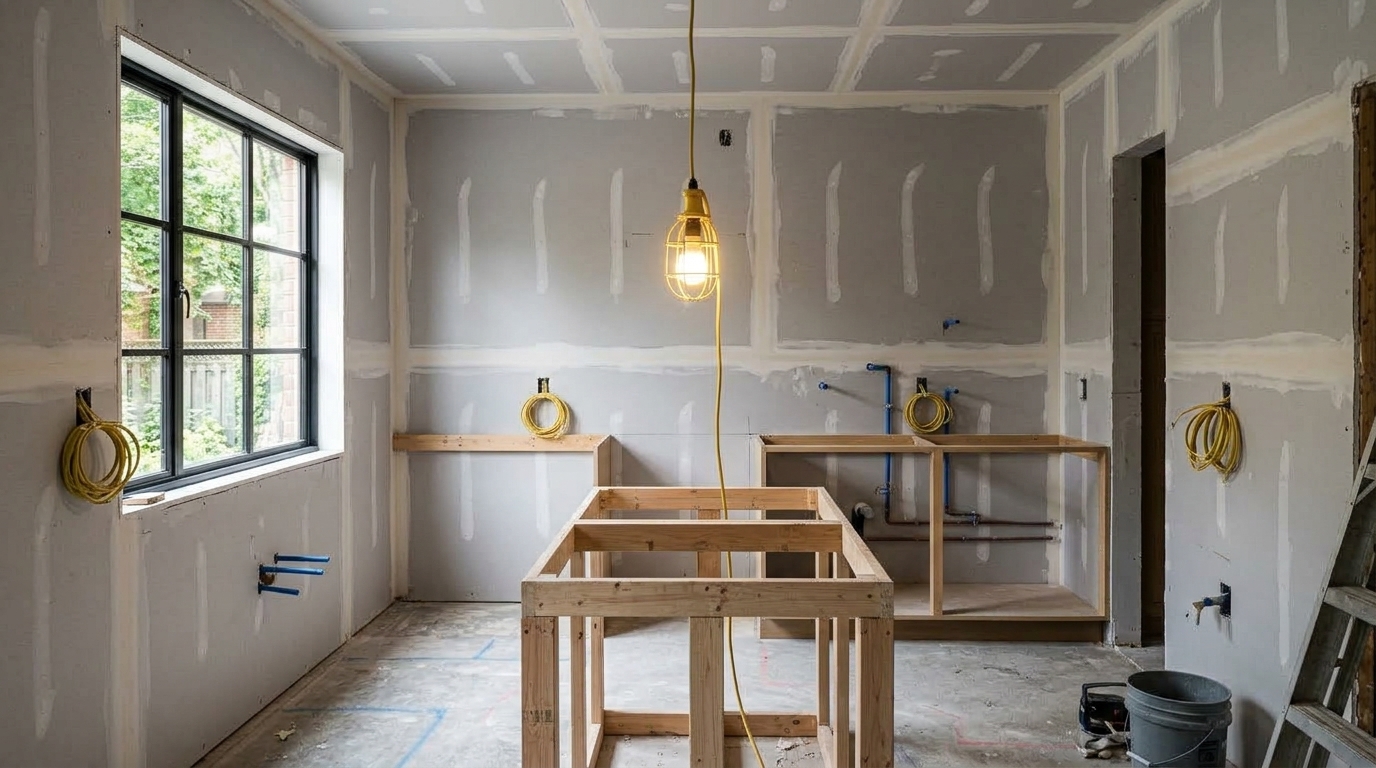
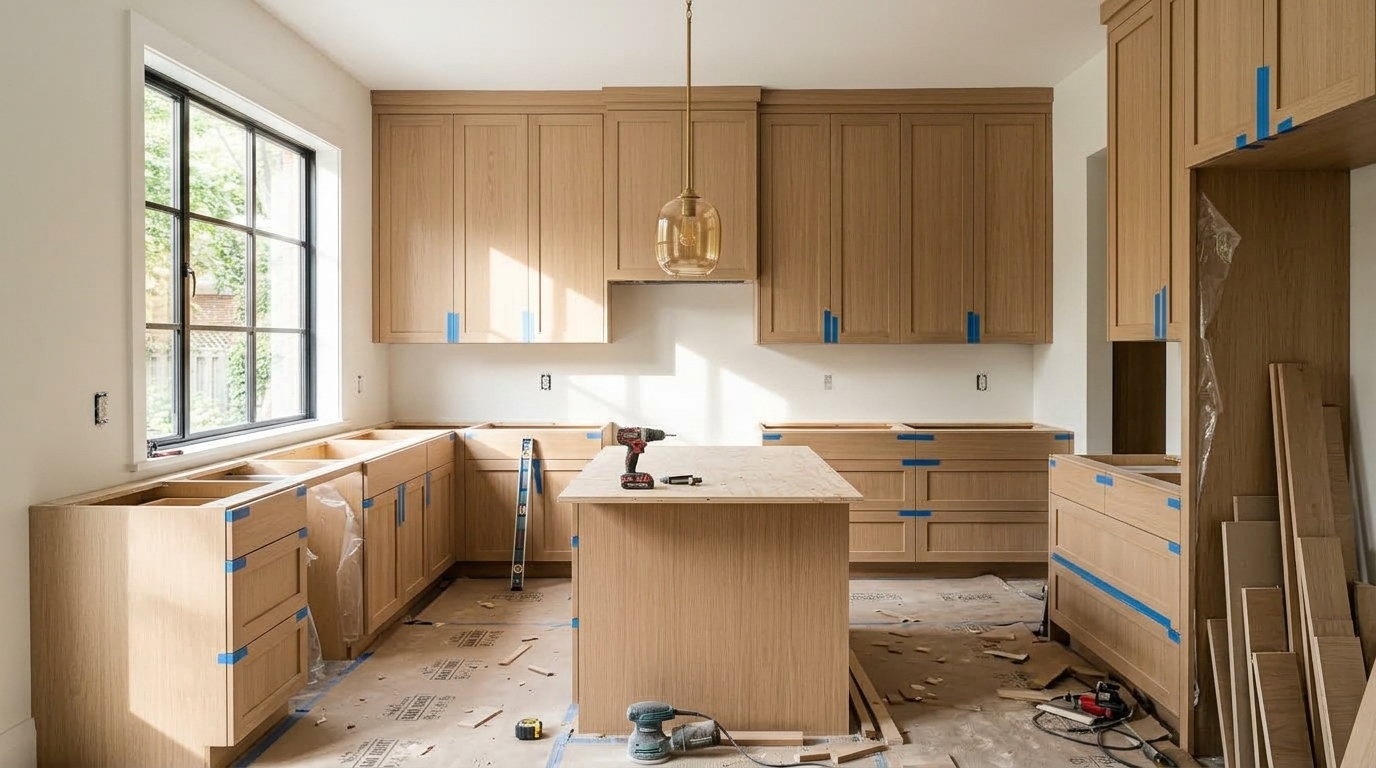
Drag the divider to compare the raw demolition phase with the finished room. HomeLog aligns photos taken months apart using camera compass headings and on-device Vision vectors.

Rough-In & MEP · Day 22 (50%)
Kitchen during raw demolition phase with exposed studs and plumbing
Demolition Phase June 02 · Day 4
Kitchen Remodel — Structural Framing Douglas fir studs, rough electrical conduit & copper plumbing
Finished luxury modern kitchen with white oak cabinets and quartz island
Finished Space August 28 · Day 84
Kitchen Remodel — Move-In Ready Custom white oak, Calacatta quartz island, matte brass fixtures

The messy truth of home renovations.

Every renovation produces a frantic paper trail: text threads, crumpled hardware store receipts, and hundreds of buried photos. Generalist apps make it worse. HomeLog restores order.

Renovation Chaos
WhatsApp & Messages Threads Buried context

Contractor: "Hey, did you approve the brass faucet model? We're cutting the quartz hole at 10 AM."

You: "Yes! Let me scroll back 4 weeks... wait, was it $450 or $750? I posted the invoice screenshot somewhere in this chat..."

Apple Photos Camera Roll 1,840 photos mixed in

Drywall dust, plumbing joints, serial numbers, paint swatches, and receipt snapshots tangled in between family birthdays and weekend trips.

Spreadsheet Fatigue Manual entry

You promise yourself you'll type receipts into Excel each night. By week 3, the spreadsheet is abandoned and budget overruns are unknown.

HomeLog Calm
Kitchen Remodel

Solid Brass Faucet Installed

$750
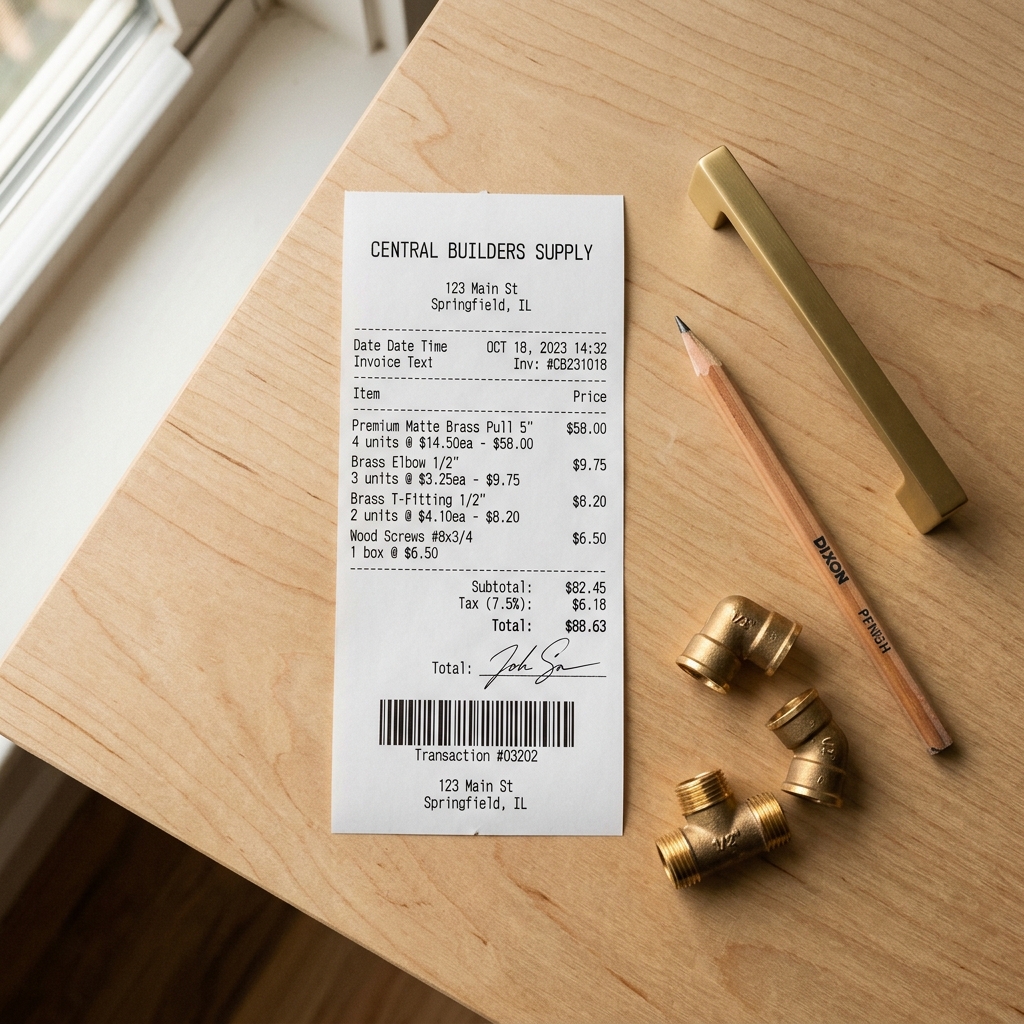
Scanned Central Builders Supply invoice OCR Parsed

"Fitted with double-mitered quartz cutout. Lifetime warranty invoice auto-extracted via on-device Vision OCR."

Receipt Attached Before/After Angle Matched
Bathroom Ensuite

Zellige Tile Delivery & Proof

$1,800

"Batch #44 glazed white. Burst cluster of 8 photos automatically collapsed into 1 clean keyframe."

Keyframe Selected June 14 · On Budget

A timeline designed around your home.

Select a room below to preview how HomeLog organizes milestones, photos, and expenses into a cohesive, chronological room narrative.

Every nail, slab, and coat of paint in its rightful place.

Instead of scrolling through an infinite camera roll, tap on any room to instantly recall every phase. HomeLog automatically links your high-res photos, receipts, and notes into an exportable digest.

Room-Bound Financials

Know exactly what the kitchen cost without mixing in plumbing bills from the bathroom.

Cinematic AVFoundation Recaps

Generate seamless before/after progress reels with one tap to share with family or future buyers.

Proof-of-Work Exports

Export a structured project report and expense ledger (Markdown & CSV) for home insurance or resale.

9:41 􀋒 􀙇 􀛨
Kitchen Remodel $12,450 spent
Active room renovation preview
Current Stage
Phase 3: Millwork & Quartz 24 Photos · 3 Recaps

Your renovation in cinematic motion.

With one tap, HomeLog compiles your room's chronological photos and before/after pairs into a 1080p progress reel, with smooth transitions and your notes as captions.

Day 4: Demolition & Framing Day 22: Electrical & Plumbing Rough-In Day 58: Custom Oak Millwork & Slabs Day 84: Final Styling & Delivery
Kitchen Remodel
Day 4: Demolition & Framing
Stripped to studs · MEP layout marked
1080p · 30fps
Share with Family via iMessage
Insurance Proof Archive
Zero Server Uploads

Smart photo triage. Zero cloud uploads.

You don't need to manually tag 500 renovation photos. HomeLog's on-device Vision engine discovers project photos, groups rapid bursts, and matches rooms using geometry and optics.

Vision Feature Prints

Extracts high-dimensional image embeddings locally via Apple Vision (VNGenerateImageFeaturePrintRequest). Computes visual cosine distances in sub-milliseconds without draining battery.

Local Neural Engine

Burst Shot Clustering

Taking 12 rapid snapshots of an electrical box? HomeLog clusters photos taken within 6 seconds that share visual similarity (distance < 0.35), selecting the sharpest keyframe.

Clustering Medoid Math

Compass Heading Matching

Uses EXIF lens orientation and site geo-fencing. When you face north in the living room, HomeLog prioritizes existing north-facing media to suggest the exact room assignment with 95%+ precision.

Heading Vector Fusion

Auto Before/After Detection

Detects when you photograph the same perspective weeks or months apart (Δθ ≤ 25°). Automatically proposes an interactive side-by-side transformation card on your dashboard.

Temporal Perspective Pair
Sandboxed Device

Local SwiftData & SQLite

All photos, notes, vector embeddings, and receipts remain strictly within your device's sandbox container.

On-Device OCR & ML
Apple Neural Engine

Vision Text & Vector Extraction

Algorithms parse invoice amounts and compute camera heading angles without sending a single byte over the web.

Zero Middleman Server
You Decide

Exports on Your Terms

Nothing leaves your iPhone unless you share it. Export reports, expense ledgers, and recap videos through the share sheet.

Your home blueprints don't belong on our servers.

A renovation involves sensitive material: home security wiring, private floorplans, confidential contractor contracts, and personal financial invoices.

Most modern apps force your photos onto their cloud databases to train AI or charge heavy server subscription fees. HomeLog refuses that model. We store everything locally on your iPhone, with no account and no servers.

✓
100% Offline Capability Log costs and inspect timelines in concrete basements without cellular signal.
✓
Zero Risk of Central Database Leaks No corporate database to breach, sell, or compromise.
✓
Lifetime Data Ownership Export raw SQLite, CSV, or structured JSON backups anytime.

Log costs with absolute zero friction.

Try our mini interactive ledger. Add common materials or enter your own to see how HomeLog automatically maps expenses to room totals.

No accounting degree required.

Traditional finance software makes you categorize by tax codes or generic tags. HomeLog asks one simple question: "Which room did this go into?"

Tap to simulate logging an item:
HomeLog Ledger

Projected Spend

$1,780 Live Total

Everything you need to know.

Honest answers about privacy, platforms, the Apple TestFlight beta, and our local-first philosophy.

How is HomeLog different from Apple Photos or Notes?

Apple Photos mixes renovation chaos with family life, while Notes lacks structured room budgeting and before/after comparisons. HomeLog anchors media directly to physical spaces, automatically clustering burst shots and extracting receipt amounts with on-device Vision OCR.

Where does my data live? Can anyone see my photos?

Your data lives only on your iPhone, inside HomeLog's sandboxed storage. There is no account, no sync server, and no analytics, so we cannot see your photos, receipts, or costs. Your data is included in your normal iPhone backups, and you can export any project whenever you like.

How does the private TestFlight Beta work?

Submitting your email below reserves an early tester slot. When our next TestFlight build goes live, you will receive an official invitation email directly from Apple TestFlight. You can provide feedback and shape upcoming features directly with the creator.

Is HomeLog available on iPad and Mac?

Not yet. The first release is built for iPhone, where renovation photos are taken. iPad, Mac, and iCloud sync between devices are on the roadmap if testers ask for them.

Can I export my room records for insurance or resale?

Yes. You can export a project report (Markdown), an expense ledger (CSV), your project data (JSON), and room recap videos, then share them with insurers, accountants, appraisers, or future buyers.

What is the pricing model going to be?

HomeLog respects the indie software ethos: no manipulative lock-in or inflated monthly cloud fees. Beta access is 100% free. The final release will offer a simple, fair one-time purchase with optional lifetime upgrades.

Limited TestFlight Beta

Be among the first to experience renovation calm.

Whether you are tearing down kitchen walls this weekend or planning an architect remodel next spring, HomeLog gives you control from day one.

Where are you in your renovation?